 XSN Rescue
Get your InfoPath form data out before something breaks.
XSN Rescue reads your form templates (.xsn) and saved records (.xml) and turns them into Excel, a PDF per record and a plain HTML form your office can keep using. On your own Windows PC. Nothing is uploaded.
Demo video coming soon.
Nothing has broken yet. That is the time to do it.
Existing forms still load, but Microsoft no longer provides fixes, security patches or compatibility updates for InfoPath.
Microsoft Q&A: post InfoPath end of life
InfoPath 2013 and InfoPath Forms Services in SharePoint Online reached end of support in July 2026; publishing new forms was blocked from May.
Microsoft 365 message MC616550
Your old expense claims, leave requests and inspection checklists are XML files that need InfoPath to make sense. The next Office or SharePoint update could be the one that stops them opening. Migration tools start at thousands of dollars and rebuild forms in Power Apps; you may only need the data.
Add the folder. Check the records. Export.
Every template and record, matched
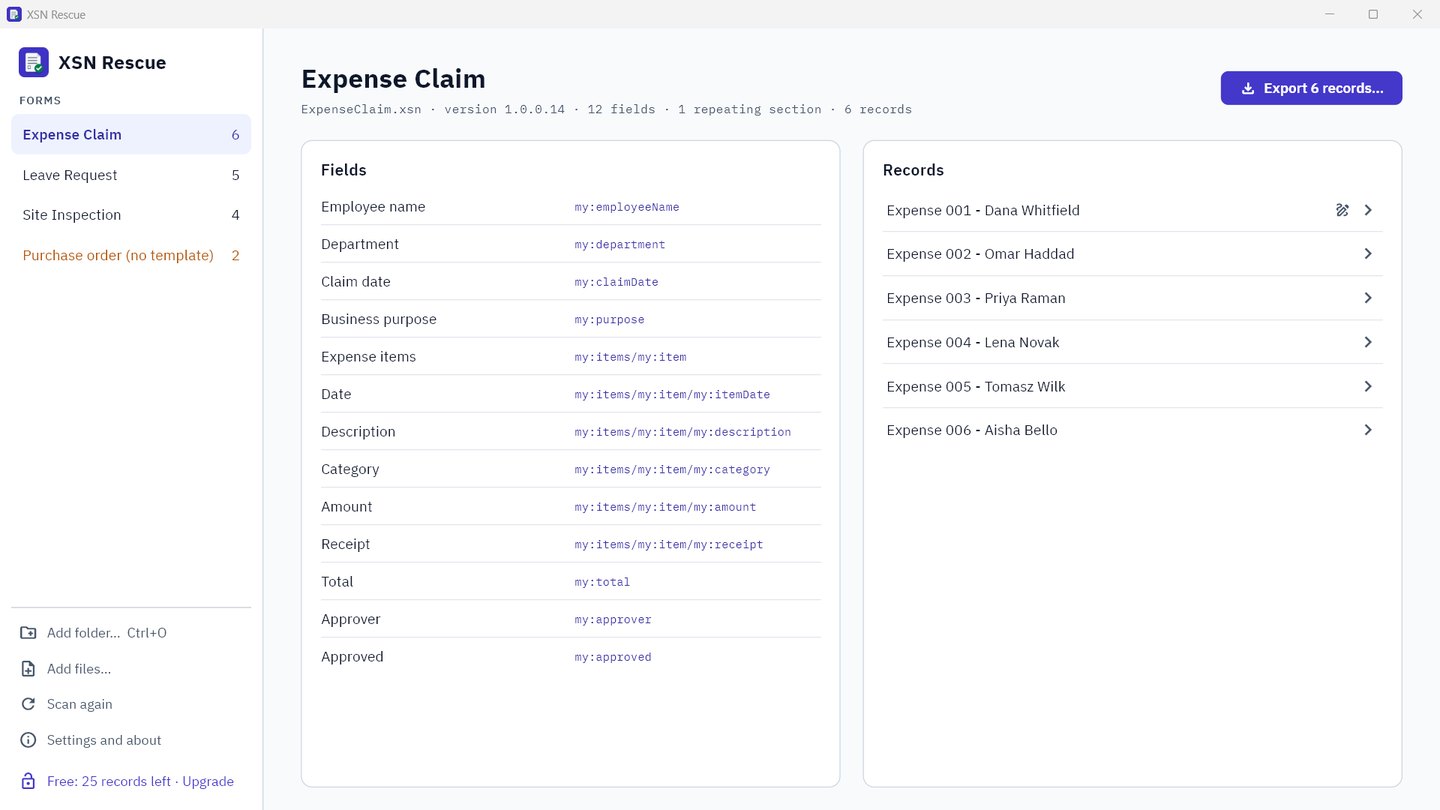
Point XSN Rescue at a folder: form templates (.xsn), saved records (.xml), or a SharePoint form library you downloaded. Each record is matched to its template by the form's own ID, even when the template is called template.xsn.
You see every field with the label the form gives it, and which sections repeat.
See each record like the form
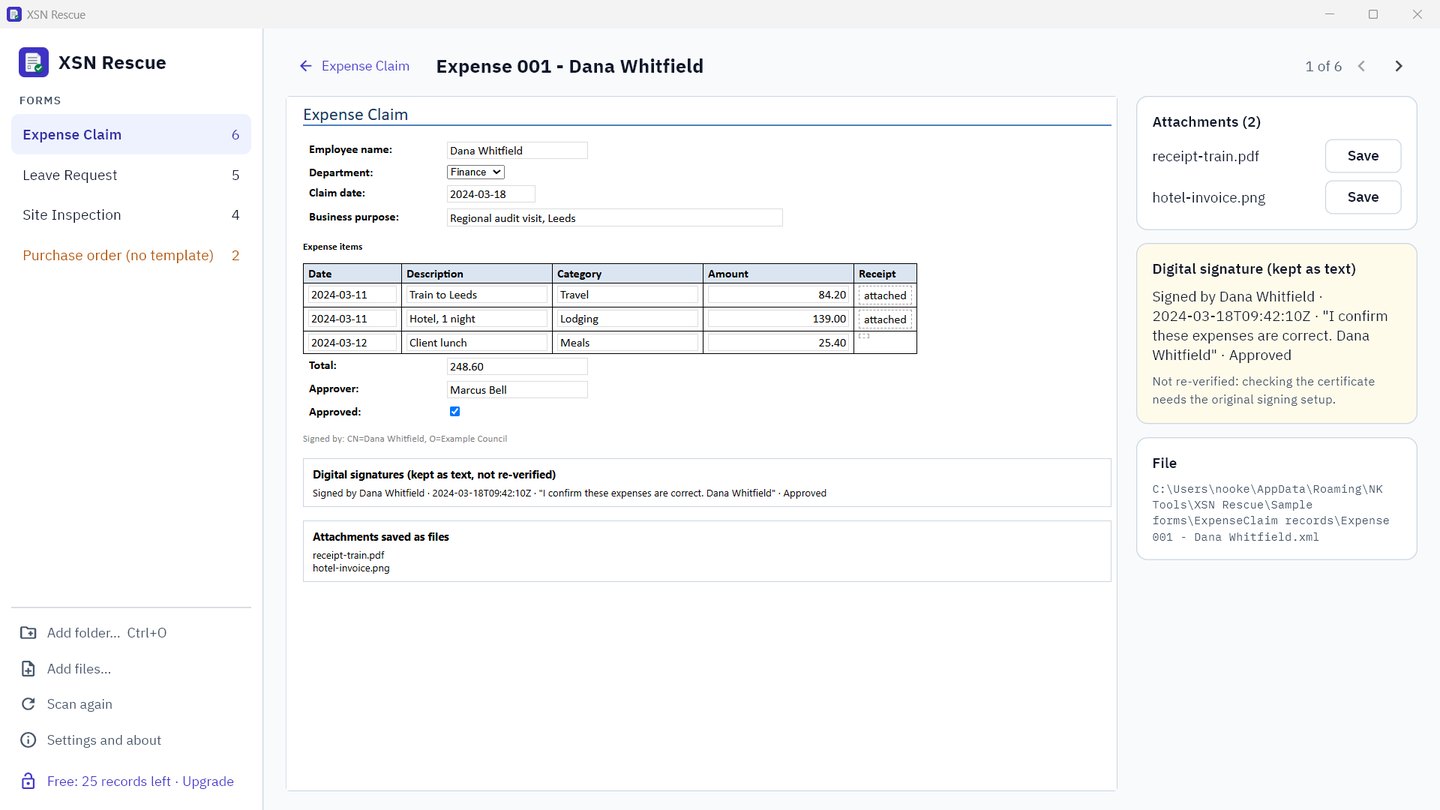
XSN Rescue runs the template's own view with Windows' built-in XML engine, so a record looks the way InfoPath showed it. Receipts and photos stored inside records are listed and can be saved as files. Digital signatures are kept as readable text.
Excel, PDFs and attachments in one go
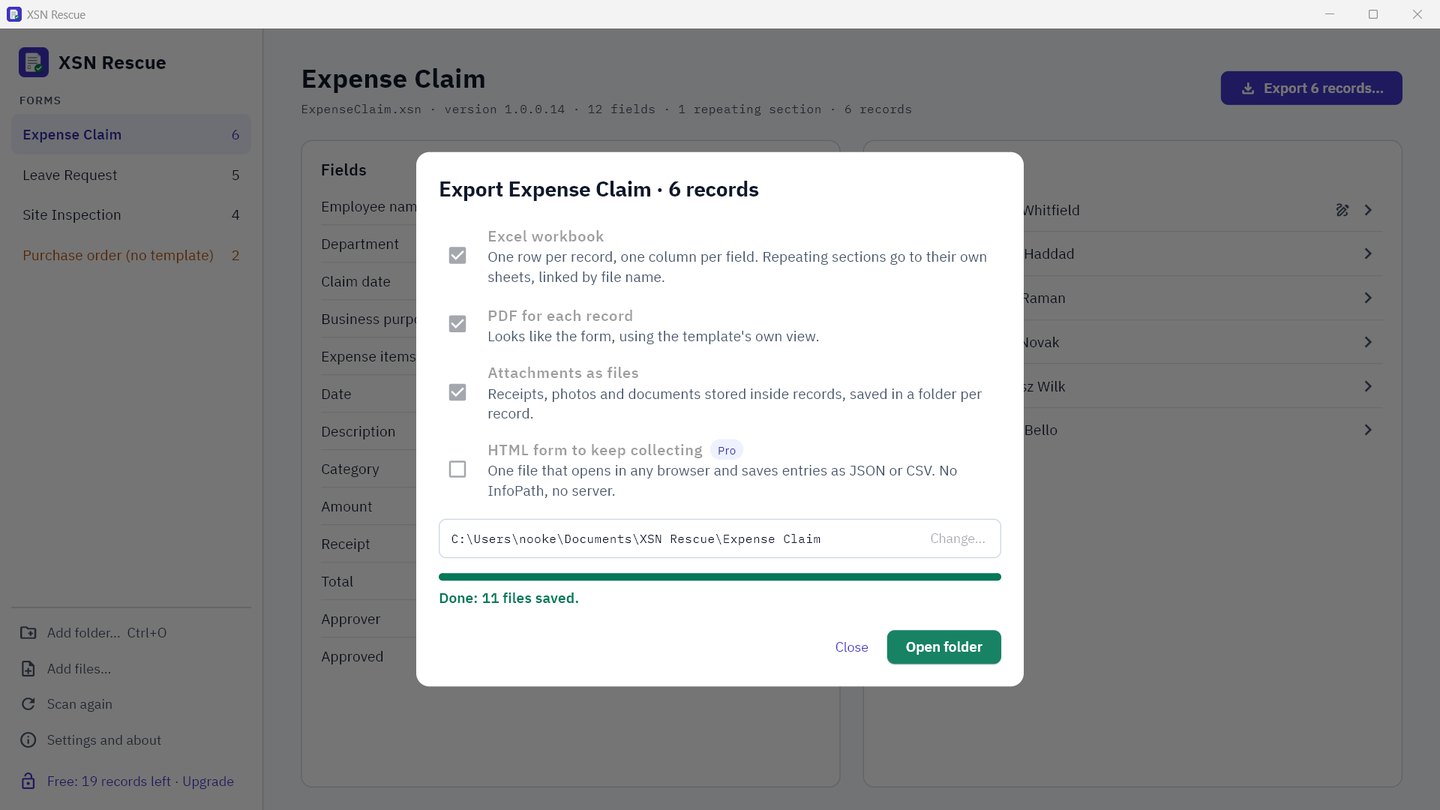
One Excel row per record with a labelled column per field. Repeating tables, like expense lines or inspection checks, go to their own sheet, linked back to the record. A PDF for every record, and each attachment saved in a folder per record.
Keep collecting without InfoPath
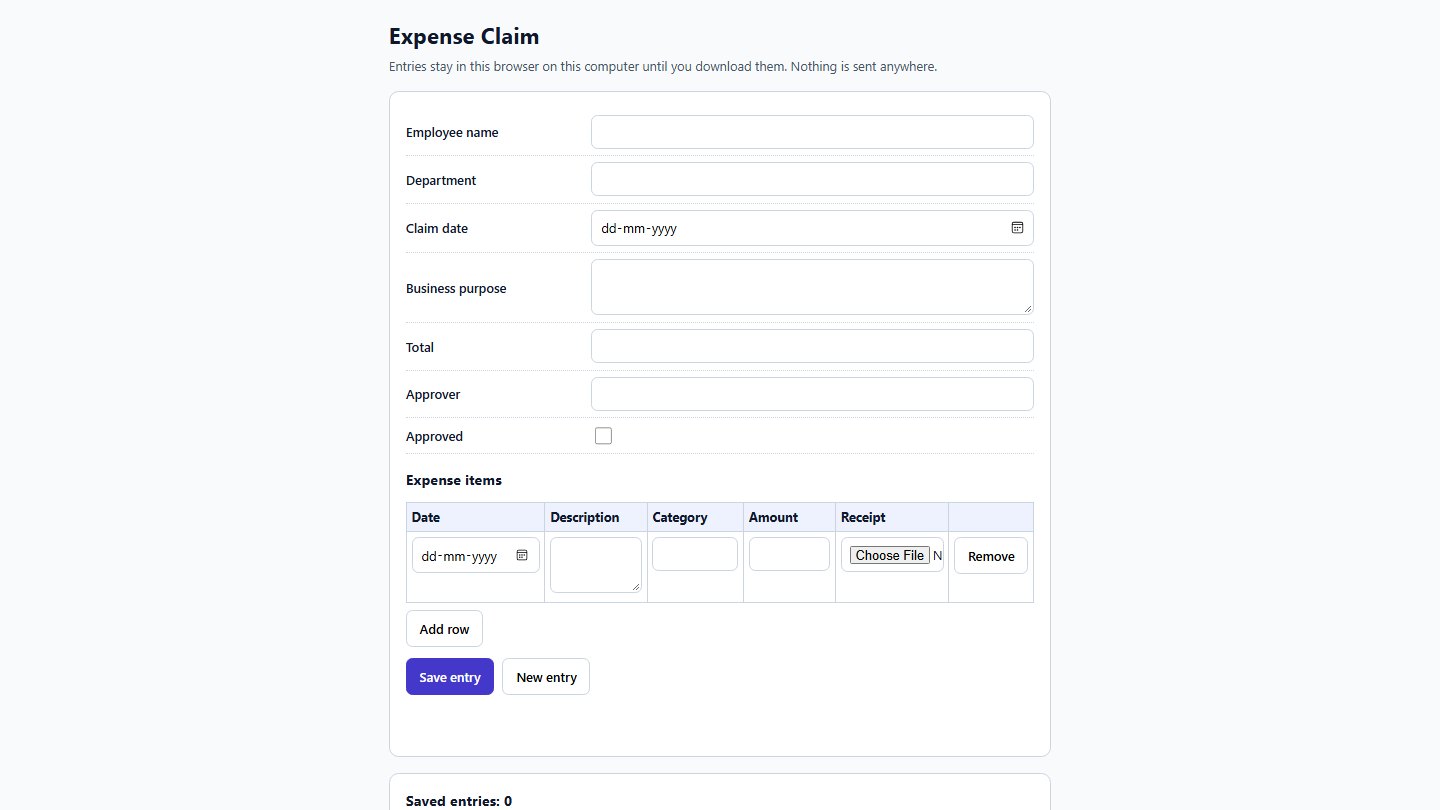
Pro builds a single HTML file from the template: the same fields and repeating tables, opening in any browser, saving entries as JSON or CSV. No server, no InfoPath, nothing to install.
HR and finance records stay on your PC
Nothing is uploaded
Templates and records are read and converted on your computer. Online converters want your forms on their server first.
No InfoPath, no SharePoint
Works from the files alone. Views run in Windows' own XML engine and PDFs are printed by Microsoft Edge, both already on your PC.
Your files are only read
XSN Rescue never changes your templates or records. Exports go to the folder you choose.
Try it on your own forms. Pay once to rescue them all.
Free
- Read every template and record
- Preview every record like the form
- Export your first 25 records to Excel, PDF and files
Business
Everything in Pro on 10 PCs. For IT teams, several departments, or a consultant working through client libraries.
Buy BusinessNo subscription. Your licence key arrives by email; enter it in XSN Rescue. New computer? "Free this seat" moves your licence. Payments and invoices by Lemon Squeezy. For comparison, Lightning Tools Form Migrator lists data conversion from $3,750 for 25 form libraries (their pricing page).
Questions
Do I need InfoPath or SharePoint?
No. XSN Rescue reads the .xsn template and the .xml records itself. To get records out of SharePoint, download the form library (or copy it with Explorer view / OneDrive sync) and point XSN Rescue at that folder.
What if I only have the records, not the template?
They still export: XSN Rescue groups them by form and gives you Excel and a clean labelled PDF per record. With the template you also get the form's own labels and layout.
How do repeating tables come out in Excel?
On their own sheet, one row per table row, with the record's file name and row number so you can link them back. The main sheet has one row per record.
What about attachments and pictures?
File attachments and inline pictures stored inside records are decoded and saved as normal files in a folder per record. The Excel cell points to the saved file.
Are digital signatures kept?
Yes, as readable text: who signed, when, and the signature statement. XSN Rescue doesn't re-verify certificates.
Does it migrate my forms to Power Apps?
No. It rescues the data and gives you a simple HTML form to keep collecting. If you need a full Power Apps rebuild with workflows, that's a migration project; XSN Rescue gets the history safe first.
Is anything uploaded?
No. The only internet use is the licence check (your licence key and computer name go to Lemon Squeezy) and the checkout page if you buy.
Do it while the forms still open.
Free to try on your own forms. You see the real Excel and PDFs before you pay.
Get it from Microsoft